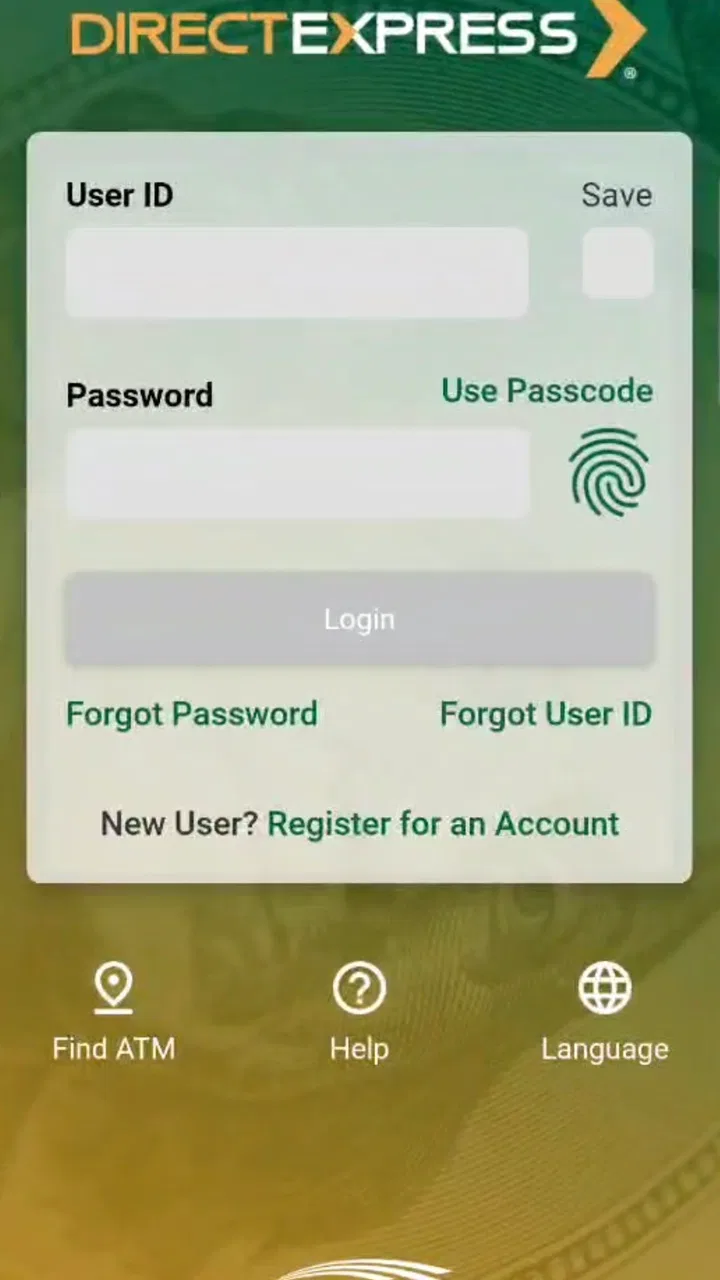
Direct Express® Mobile
- 4.6
- Rating
- 1.00M
- Installs
- Free
- Price
 Analysis by App-foxy
Managing a prepaid benefit card is usually less about fancy tools and more about knowing whether the app will behave when I need a quick answer. Direct Express® Mobile is built for that practical purpose. Developed by Fifth Third Bank, it belongs in the finance category and is aimed at federal benefit recipients who use a Direct Express prepaid debit card. After spending time with it, I see it as a focused account companion rather than a full replacement for a traditional bank app.
My first impression is that the app makes the most sense for people who want a mobile view of their card activity without opening a conventional checking account. It is free, rated for Everyone, and available for devices running Android 9 or later. The current version is 9.3, and its audience is already substantial: the app has passed one million installs, with an average rating of 4.6 from roughly 185,000 ratings. Those figures suggest that it has become a familiar tool for many cardholders, although popularity alone does not guarantee that every person will find the experience equally smooth.
How Direct Express® Mobile feels in everyday use
I find the everyday value of Direct Express® Mobile lies in making routine card checks part of a calm, repeatable habit, rather than turning every purchase into a reason to open the phone. I would decide in advance what information I need before a quick check, so I can act without lingering over sensitive details in a public place. That practical routine leads naturally to the question of what the app lets me control.
You May Also Like

 Blood Strike: 2.5 Anniversary
Blood Strike’s Loadouts Turn Every Drop Into a Tactical Gamble
A close look at Blood Strike’s custom loadouts: how fast access to signature weapons reshapes its battle royale rhythm, rewards preparation, and narrows the gap between fights.

 Pandora - Music & Podcasts
Pandora’s Music Is Easy to Start, but Harder to Recover
Pandora’s strength is its low-effort path from a seed to a station. Its weak spot is how much confidence it asks you to place in connection, setup, and quiet recovery.

 8 Ball Pool
 Is Built on Rivalries, Rematches, and Routine
A close look at the rivalries, rematches, shared routines, and unanswered safety questions that turn a quick pool match into a persistent mobile community.

 Samsung Music
’s Quiet Strength Is Playing What You Already Own
Its reach comes less from spectacle than from dependable access to a personal library. That simplicity is both the app’s strongest retention engine and its ceiling.

 AccuWeather: Weather Radar
AccuWeather Review: A Quick, Clear Forecast for Everyday Decisions
For everyday plans, the best forecast is the one you can understand quickly. AccuWeather makes rain timing, radar, and local conditions easy to act on, with a few trade-offs.

 Hill Climb Racing
Why Hill Climb Racing Still Turns Crashes Into One More Run
A tiny car, a bumpy hill and one more upgrade: Hill Climb Racing keeps resurfacing because its simple chaos makes every near-miss feel personal.
More From Our News Desk



Speed expectations when I need a quick balance check
The most important performance question for a finance app is simple: can I open it and understand my available money without unnecessary wandering? Direct Express® Mobile is designed around that kind of short visit. I would use it before buying groceries, checking whether a benefit deposit is available, or confirming recent card activity after a purchase. That narrow purpose helps keep the experience more approachable than a broader banking application filled with products I may never use.
I would not judge this app by the standards of a trading platform or a feature-heavy bank dashboard. Its value is in reducing the steps between opening the app and checking card information. A focused prepaid-card app can feel faster in practice because I am not moving through loans, savings goals, investment pages, and other unrelated areas. For someone who only needs card management, that focus is a genuine advantage.
There is also an important distinction between an app opening quickly and financial information appearing instantly. A mobile screen can respond promptly while the underlying account information still depends on a connection and the service handling the request. I would therefore avoid treating a fast launch as proof that every balance or transaction is immediately final. For a major financial decision, I would still read the displayed details carefully rather than relying on a glance.
My preferred routine would be to check the app before leaving home, especially when I am working with a tight budget. That small habit is more useful than repeatedly opening it after every purchase. It gives me a current point of reference and reduces the chance of confusing a pending card transaction with money that is fully available. The app is most effective when it supports a simple spending routine, not when I expect it to replace careful budgeting.
What happens during heavier-use moments
Most users will not put a finance app under constant pressure, but certain moments naturally create heavier use. A benefit deposit day, a move between stores, or a period of several card purchases can lead me to check the account more often. In those situations, the practical test is whether the app remains understandable when I am switching between balance information and activity details.
I would approach those moments with realistic expectations. A mobile app is not the same thing as a cash register, and checking the account repeatedly cannot make a transaction settle faster. If I have just used the card, I would give the activity time to appear and would keep receipts until the account view matches what I bought. That is not a criticism unique to this app; it is a sensible habit whenever card timing matters.
One useful workflow is to use the app as a confirmation tool rather than as the only record of spending. I would note an important purchase, keep the receipt, and then compare it with the activity shown in the app later. This approach is especially helpful when several transactions happen close together. It prevents me from making a second purchase based on an assumed balance that may not reflect every recent card event yet.
Another practical trade-off is convenience versus attention. Frequent checks can reassure me, but they can also encourage impulsive spending if I treat the displayed balance as permission to use every available dollar. The better use is to combine the app with a personal spending limit. Direct Express® Mobile can show me useful account information, but it cannot decide which bills, groceries, or transport costs should come first.
Reliability, recovery, and what I would do when something feels wrong
Reliability matters more here than visual polish. If I cannot access the app, I may be unable to confirm whether a payment is practical. The strong user rating indicates that many people find the service useful, but I would still prepare for ordinary mobile problems such as a weak connection, an outdated device environment, or a session that needs to be started again.
My first recovery step would be deliberately boring: check the connection, close and reopen the app, and make sure the phone is running a supported operating system. Because the minimum requirement is Android 9, older phones below that level are not suitable for relying on this app. I would also avoid deleting the app as an immediate reaction to a single failed session, since reinstalling a financial app can create extra sign-in friction.
If the app opens but the information looks unusual, I would not repeatedly refresh and then assume the newest screen is automatically correct. I would compare the displayed activity with receipts and remember the time of the last confirmed transaction. If the concern involves a card payment or account access rather than a temporary loading problem, I would use the official support route associated with the card instead of trying random fixes.
Recovery is also about planning before an urgent situation. I would make sure I know my sign-in details, keep the phone’s operating system in a supported state, and avoid depending on a single device when I am away from home for an important payment. These steps are not glamorous, but they matter more than a decorative interface when access to benefit funds is involved.
Device constraints and resource expectations
Direct Express® Mobile is a better match for a reasonably current phone than for an aging device that struggles with basic applications. Android 9 is the stated minimum operating system, so anyone using an older handset should check compatibility before treating the app as a primary account tool. The same principle applies to iOS users: I would verify the current store requirements for the specific device before assuming the experience will be identical across platforms.
I would also leave sensible room for ordinary phone maintenance. Financial apps need to be updated when a new version is installed, and a phone that is nearly full or running many background tasks can make any application feel less responsive. I cannot reasonably blame the app for every delay caused by an overloaded handset. A restart, available storage, and a stable connection are simple checks that can separate a device problem from an account-service problem.
Resource demands are most noticeable on older hardware. A focused finance app should not need the same attention as a game with rich graphics, but that does not mean every phone will feel equally quick. If my device frequently freezes, loses connectivity, or closes apps in the background, I would not use Direct Express® Mobile as my only way to monitor the card. I would keep another practical method available for important account questions.
Privacy and physical access also belong in the device discussion. I would use a screen lock and avoid checking sensitive account information on a shared phone. A finance app can be convenient while still requiring ordinary caution. The Everyone age rating describes the app’s content classification, not a promise that every phone is appropriate for unsupervised financial use.
Who gets the most value from this app
The clearest audience is a federal benefit recipient who uses a Direct Express prepaid debit card and wants mobile access to card information. For that person, the app can remove the need to depend on memory when checking available funds. It is particularly useful for someone who shops in several places during the week, wants to review activity from home, or prefers a phone-based routine over handling account questions through a larger banking setup.
I also think it can help a caregiver or family member who is assisting an eligible cardholder, provided the account holder’s privacy and authorization are respected. The useful role is not taking control of someone else’s money; it is helping the cardholder follow a consistent process for checking activity and planning spending. Clear boundaries matter more than convenience when another person is involved.
The app is less attractive for someone looking for a complete personal-finance center. If I wanted extensive budgeting tools, multiple account types, investment tracking, or a broad view of accounts at different institutions, I would compare it with a full-service bank app or a dedicated budgeting application. Direct Express® Mobile is specialized, and that specialization is both its strength and its limit.
It is also not the right answer for someone who does not use a Direct Express card. Installing a finance app that does not match my actual account would add confusion rather than value. Likewise, a person who rarely uses a smartphone, has an unsupported phone, or cannot maintain secure access may prefer another way of managing card information.
How it compares with usual alternatives
Compared with a traditional bank app, this application should feel more targeted. A bank app may bring checking, savings, transfers, card controls, and additional financial products into one place. That breadth is useful for customers with a wider banking relationship, but it can also create more screens and more decisions. For a Direct Express cardholder, a narrower tool may be easier to understand during a quick balance check.
Compared with calling for account assistance, the app offers a more private and convenient way to review information when the phone is working normally. I do not have to explain a routine question aloud or wait for a conversation to finish. On the other hand, a support channel remains important when access fails, a transaction needs attention, or the question cannot be answered by simply viewing the account.
Compared with checking paper records or relying on memory, the app gives me a more current mobile reference. That does not make it a substitute for receipts or personal budgeting. The strongest setup is a combination: use the app for visibility, keep records for meaningful purchases, and contact official support when the situation involves more than ordinary monitoring.
My performance verdict
I see Direct Express® Mobile as a practical, specialized finance app that succeeds when I use it for what it is meant to do: keep track of a Direct Express prepaid debit card from a compatible phone. Its focused purpose makes quick checks easier to understand than a large banking suite, and its free availability removes a direct cost barrier. The rating of 4.6 and broad install base reinforce the impression that it serves a real and established need.
My recommendation comes with boundaries. I would not depend on any mobile app as the sole backup during a payment emergency, and I would not assume that a displayed balance removes the need to track recent spending. Users with older phones, unstable connections, or a preference for full banking and budgeting tools may be happier with another option or an additional support method.
The best reason to install it is control through simple visibility, not a long list of extras. If I held a Direct Express card, used a supported device, and wanted a straightforward way to check activity before spending, I would consider it worthwhile. I would keep my phone updated, protect access to the account, save receipts for important purchases, and treat the app as one dependable part of a broader money-management routine.
That balance is what makes the app useful to me. It does not need to become a complete bank to justify its place on a phone. For the people it serves, a focused way to check card information can be more valuable than an overloaded financial dashboard. For everyone else, the specialized design is a reason to look elsewhere rather than a flaw to overlook.
FAQs for Direct Express® Mobile
01What features does the Direct Express® Mobile app offer?
The Direct Express® Mobile app allows users to manage their Direct Express card account conveniently from their mobile device. Features include checking account balances, viewing transaction history, finding ATMs, setting up alerts for account activity, and contacting customer service. The app provides a user-friendly interface to ensure easy navigation and efficient management of financial transactions.
02Is the Direct Express® Mobile app secure?
Yes, the Direct Express® Mobile app is designed with security in mind. It uses advanced encryption and multi-factor authentication to protect users' personal and financial information. The app ensures that all transactions are secure, and sensitive data is safeguarded against unauthorized access. Users can feel confident that their information is protected while using the app.
03Can I use the Direct Express® Mobile app without an internet connection?
No, the Direct Express® Mobile app requires an internet connection to function. Users need to be connected to Wi-Fi or have mobile data access to log in, check balances, view transaction history, and perform other tasks. An active internet connection ensures the app can provide real-time updates and accurate account information.
04How do I download and set up the Direct Express® Mobile app?
To download the Direct Express® Mobile app, visit the Google Play Store for Android devices or the App Store for iOS devices. Search for 'Direct Express' and install the app. After installation, open the app and follow the on-screen instructions to set up your account. You’ll need your Direct Express card number and other personal details to complete the setup process.
05What should I do if I encounter issues with the Direct Express® Mobile app?
If you experience any issues with the Direct Express® Mobile app, first try restarting your device and checking your internet connection. If problems persist, contact Direct Express customer service for assistance. The app also includes a help section with FAQs and troubleshooting tips that may resolve common issues without the need for further support.
Pros
- Easy account access anytime
- anywhere.
- Secure login with fingerprint or PIN.
- Real-time balance updates.
- Instant transaction notifications.
- No monthly fees for using the app.
Cons
- Limited to Direct Express cardholders only.
- Occasional app crashes reported.
- Slow customer service response.
- No budgeting tools available.
- Requires internet connection to function.

Direct Express® Mobile
Gallery